

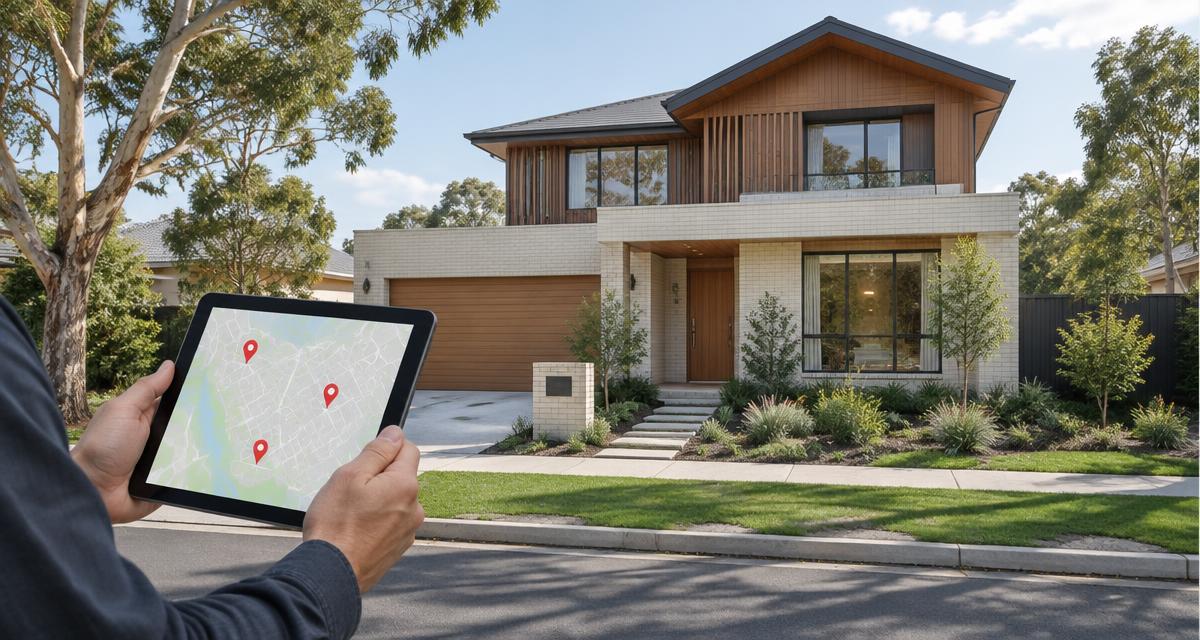
You build good homes. Your completed projects look the part, your clients recommend you, and you know which suburbs suit the work you want. Yet when someone nearby searches Google for a builder, another company appears in the map results. Yours is nowhere obvious.
That is frustrating, especially when one suitable enquiry could lead to a substantial residential project. But being a capable builder and being easy to find on Google Maps are different things. Google needs to understand what your business does, where it operates and why it belongs among the local options. The homeowner then needs a reason to contact you.
This guide looks at the problems that can leave building companies hidden from local searches, particularly in suburbs where they want to win higher-value work. It covers the Map Pack, proximity, business categories, project photography and the website behind your listing. It also separates useful advice from shortcuts that sound convincing but are not supported by Google's guidance.
The title describes a familiar problem, not a measured failure rate: I am not claiming that a study proves most builders fail. My focus is practical: helping the right homeowners discover your business and make a worthwhile enquiry.
1. Why the Map Pack Matters for Builders
It is often an early shortlist
Search for a local service and Google may show a map with a small group of business listings, commonly three. This is usually called the Map Pack or Local Pack. Its appearance varies with the search, location and device, and it is separate from paid advertising.
For a homeowner searching “builder near me” or “home extension builder”, those listings provide an immediate comparison. They can see business names, reviews, photographs and contact options before reading much of a website.
A building project is not normally an impulse purchase. People may spend weeks comparing options, discussing budgets and looking at previous work. Still, the companies they discover early have an opportunity to enter that shortlist. If your business is difficult to find, a referral or another channel may have to do all the work.
Visibility needs to match the project
Not every builder search is valuable to your business. Someone planning a custom home has different requirements from someone looking for a minor repair. A map listing attracting the wrong enquiries can waste time rather than improve your pipeline.
Start by defining the projects you actually want: extensions, renovations, custom homes or commercial construction. Then identify the areas you realistically serve and the type of client your process suits.
Affluent suburbs may be attractive, but a postcode does not establish a homeowner's budget or readiness. Focus on project fit, not assumptions about wealth. Your profile and website should help visitors understand whether you are the right builder for their plans.
2. Proximity: Why You Cannot Rank Everywhere
Google considers distance
Google says local results are mainly based on relevance, distance and prominence. Relevance concerns how well a business matches the search. Distance concerns how far it is from the location used in that search. Prominence concerns how well known it is.
That means your position can change between suburbs, streets and searchers. Checking from your own office does not tell you what a homeowner several kilometres away sees. A company closer to that homeowner may have an advantage, even if your projects are better suited to their needs.
Distance is not the only consideration, but it is a real constraint. An honest SEO plan accounts for it rather than promising that a few edits will put your business first across an entire city.
Adding suburbs does not remove distance
A service-area business can specify where it serves customers. That information should reflect your genuine coverage. It helps people understand whether you can take on their project.
However, adding a desirable suburb to your service area does not establish a new office there. Google's guidance does not say that expanding the list overrides proximity or guarantees a position in those places.
If your base is outside the areas you want to target, build a realistic plan around relevant services, credible local project evidence and useful website pages. Maps can remain one channel while ordinary search results help reach people researching further away.
Keep the address legitimate
Do not invent offices, use a client's construction site as a permanent business location or create listings for suburbs where you have no eligible premises. A temporary project is not a new branch.
Google instructs businesses that do not serve customers at their address to hide that address and use a service area. A customer-facing location must meet its eligibility rules; simply hiring a mailbox is not a sound alternative.
For builders working from home, this distinction also protects personal privacy. Configure the profile honestly rather than treating your address as a ranking trick.
3. Missing Categories Make Your Business Harder to Understand
Your primary category needs to fit
Your primary Google Business Profile category tells Google what kind of business you operate. Google explicitly says categories can affect local ranking. A vague or inaccurate choice can make it harder to match your business to the right searches.
Review the available categories in your actual profile and choose the most specific one that accurately describes the business as a whole. Category availability can vary, so do not rely on an old checklist of labels copied from another country.
If residential construction is your core work, assess the relevant building categories rather than selecting an unrelated trade because a competitor uses it. The question is what your business is, not which label appears attractive.
Additional categories are not a wish list
Use a few accurate additional categories for genuine core offerings where appropriate. Do not add every possible trade involved in a construction project. Managing electrical subcontractors does not necessarily make your company an electrician business.
There are no special “affluent suburb categories”. Categories describe the business; service areas describe coverage. Service information and your website provide further detail about the work you offer.
Keep those pieces consistent. A profile suggesting general construction, a website promoting renovations and photographs showing only commercial warehouses can leave visitors unsure what you want to be hired for.
Describe real services clearly
Where profile features allow, add accurate services and useful descriptions. Explain the projects you accept in straightforward language. Avoid cramming suburb names into every field or adding keywords to your business name that are not part of its real-world name.
Good information helps customers assess fit. It does not mean every sentence is a ranking lever. Your aim is a complete, credible business listing, not a collection of fields filled for the sake of it.
4. Project Photos: Proof, Not a Geotagging Shortcut
A blank gallery leaves questions unanswered
Building is visual. A homeowner wants to see what you have completed, the style of work you handle and whether the finish matches their expectations. A neglected gallery can make a capable business look less established than it is.
Google recommends adding photos and videos to show what your business offers. For builders, genuine project photography can help turn discovery into confidence: completed facades, extensions, interiors, structural work and relevant before-and-after views.
The useful question is not “How many photos will force a ranking increase?” It is “What would help this homeowner judge whether I am suitable?” That leads to better choices than uploading dozens of near-identical site shots.
What geotags can and cannot tell you
A geotag is location information stored in a photo's metadata, often recorded by a phone or camera. It is sometimes promoted as a way to make Google rank a business in specific suburbs.
Google's published local-ranking guidance does not identify photo geotags as a ranking factor. There is no documented basis for promising that inserting suburb coordinates into images will move your business into the Map Pack there.
So a lack of geotagged photos is not an established explanation for being hidden. A lack of useful project evidence is a different problem: visitors may not see reasons to trust your work. Fix that visible problem without paying for a supposed metadata shortcut.
Make local evidence understandable
With the client's permission, publish a project page on your website that names the suburb and explains the work. Describe the starting problem, the type of build and the design or construction decisions that mattered.
A genuine “rear extension in Hawthorn” case study gives a reader more useful context than unexplained coordinates. Include relevant photographs, clear captions and a link from the appropriate service page. This creates information people can inspect; it is not a guarantee of Maps rankings.
Protect the homeowner's privacy. Avoid exposing exact residential addresses, identifying possessions or security details. Remove sensitive location metadata where needed, and obtain permission before publishing images. Never present stock or generated pictures as completed client projects.
5. Reviews and Reputation Need More Than a Star Count
Ask after a real experience
Google says more reviews and positive ratings can help local ranking. Reviews also help homeowners assess a decision involving substantial money, time and disruption.
Build a straightforward process for asking genuine customers to leave an honest review. Choose a sensible point in the relationship, such as completion and handover, and provide your review link without pressure.
Do not buy reviews, offer incentives or ask only satisfied clients while steering unhappy ones away. Google's policy prohibits incentivised reviews and selectively soliciting positive ones. A smaller collection of legitimate feedback is better than a manufactured reputation.
Specific experiences help readers
A review discussing communication, site management or the handling of a difficult extension can be useful to someone comparing builders. Let the client describe their own experience; do not supply a script full of suburb names and keywords.
Reply professionally to feedback, including criticism. Avoid revealing private project details in a public response. A measured reply can show how you handle concerns without turning the listing into a dispute.
Reviews are part of the picture, not a substitute for accurate categories, an eligible profile or a useful website. A competitor's higher review count alone does not explain every difference in visibility.
6. Your Website Must Support the Local Enquiry
Give each core service a useful destination
A Maps visitor who opens your website should immediately understand what you build, where you work and how to discuss a project. Sending every visitor to a generic page with a long list of services makes that harder.
Create distinct pages for genuinely different offerings where you can provide meaningful information. A custom-home page should address a different decision from an extension or renovation page.
Explain scope, project suitability, how enquiries are assessed and what happens next. Display genuine credentials and project examples, keeping licensing and registration claims accurate for your jurisdiction. Do not invent awards or imply qualifications you do not hold.
Earn the suburb detail
A page targeting a suburb needs more substance than a swapped place name. If you have completed relevant work there, discuss it with permission. Explain genuine service coverage and answer questions that matter to that type of project.
You do not need dozens of near-identical pages for neighbouring streets. Thin location pages can create a poor experience and, when designed to funnel similar searches into the same destination, risk becoming doorway content.
Where you lack local project evidence, be honest. A strong service page explaining your coverage is preferable to pretending you have an office or portfolio in every desirable suburb.
Make the next step easy
Check the website on a phone. Is your number easy to find? Does the enquiry form work? Can a visitor describe the project without completing an exhausting questionnaire?
Useful initial fields may include the project type, suburb and stage of planning. Ask enough to start a sensible conversation, not every detail needed for a quote. If you discuss budgets, explain why and avoid presenting a website estimate as a construction quotation.
Visibility that sends people to a broken contact form is not a lead-generation strategy. Test the full journey from your listing to a received enquiry.
7. A Practical Plan to Improve Your Maps Enquiries
Start with an accurate baseline
Before changing anything, record the profile's current information: ownership access, category choices, contact details, service areas and website link. Check for duplicates and incorrect information, then resolve problems through Google's legitimate processes.
Review a small set of searches reflecting your actual work and target areas. Note the search location and date. Results vary, so use these checks as observations rather than a promise of what every customer sees.
Look at competing listings to understand the comparison a homeowner faces. Are their services clearer? Do their galleries show relevant projects? Is their website easier to assess? Learn from the evidence without copying their claims.
Fix foundations before adding volume
Prioritise accuracy first: correct categories, a legitimate location setup and consistent contact details. Then improve the visible evidence through project photos, useful service information and genuine reviews.
Follow with website improvements that support the same project priorities. Connect relevant service pages to authorised project examples and make the enquiry path reliable.
A simple order keeps effort focused:
- Confirm eligibility, access and business details.
- Review primary and additional categories.
- Set honest service areas and describe core work.
- Publish relevant project evidence with permission.
- Ask customers consistently for honest reviews.
- Improve service pages and test contact options.
- Review enquiry quality and adjust the priorities.
Work through the free GBP Checklist for a practical starting point on your profile’s categories, details, photos and reviews.
Build habits you can maintain
There is no need to turn every site visit into a content exercise. Agree a manageable photography process, keep a list of completed projects suitable for publication and make review requests part of handover.
Update the profile when real details change. Add worthwhile material when you have it, rather than assuming daily posts are required to rank. Consistency means keeping information trustworthy, not manufacturing activity.
Free builder checklist / PDF
Your Google Maps action checklist
Seven practical steps from this guide, ready to tick off. Put your next priority on paper.
8. Measure Projects, Not Just Map Positions
Separate discovery from business outcomes
Google Business Profile performance can show interactions such as website clicks and call-button clicks where available. Those are useful indicators, but a click is not necessarily a completed call or a qualified lead.
Use website measurement and your enquiry records to understand what happens next. Ask prospects how they found you, recognising that their answer may reflect several touchpoints.
Record the project type, location, suitability and eventual outcome without collecting unnecessary personal information. Over time, this can show whether visibility is bringing the work you want rather than simply increasing interruptions.
Read the results in context
Construction demand changes with project timing, financing and your own availability. A quiet period does not automatically mean a profile edit failed, and a busy week does not prove one photo caused new leads.
Compare meaningful periods, note what changed and allow for the length of a building decision. Look for a pattern across discovery, suitable enquiries and booked work. Avoid declaring success from one ranking screenshot.
If a campaign reaches more people but produces mostly unsuitable requests, revisit positioning and qualification. Being found by fewer, better-matched homeowners may be more valuable than broad visibility for work you cannot take on.
9. Frequently Asked Questions
Can a builder rank in an affluent suburb without an office there?
It is possible to appear outside your immediate base, but not guaranteed. Google considers relevance, distance and prominence. Accurate service coverage, genuine project evidence and useful website content support a credible presence; they do not create a local office or remove distance from the equation.
Will geotagging every project photo improve my Maps ranking?
Google does not document photo geotags as a local-ranking factor. Prioritise genuine, useful photos and clearly described project pages. Do not expose a client's exact location or pay for a promised ranking boost based on image coordinates.
Should I create a separate listing for every suburb?
No. Only create profiles for businesses and locations that meet Google's eligibility rules. Service areas and temporary building sites do not justify extra branch listings. Misrepresenting locations can put your profile at risk.
How quickly will these changes bring leads?
There is no reliable deadline or guaranteed number. Results depend on competition, location, demand, your existing reputation and the quality of the enquiry journey. Correcting inaccurate details can help customers immediately, while building stronger evidence and visibility takes ongoing work.
Is Maps enough for high-value building projects?
Not necessarily. Homeowners may combine Maps, ordinary search, recommendations and project research before contacting you. Treat the listing as part of a wider discovery and trust journey, supported by your website and real-world reputation.
10. Conclusion and Call to Action
Builders do not need a collection of clever Maps tricks. They need an accurate listing, a realistic view of proximity, relevant categories and convincing evidence of the work they actually deliver.
Show the right projects. Describe your genuine coverage. Ask for honest feedback. Make it easy for a homeowner to understand your suitability and start a conversation. Measure the enquiries that matter, not just a place in a screenshot.
If you want help connecting those pieces, visit my SEO for Builders page. I work directly with you to prioritise the services, locations and project types that fit your business. You speak to the person doing the SEO work, not someone passing messages between departments.
Sources and further reading
This guide draws on Google's published guidance, rather than claims about undisclosed ranking shortcuts: